Security groups
A security group is a set of firewall rules applied to a server's network ports. Traffic matching no rule is dropped. Every rule allows traffic: to open a port, add a rule for it.
A new group allows all outgoing traffic and no incoming traffic. Each project has a default group, which also allows traffic between the servers that use it. A server can use several groups, and their rules add up. To filter the traffic of whole subnets where it passes a router, use firewalls.
Open Networking in the project's sidebar and choose the Security Groups tab.
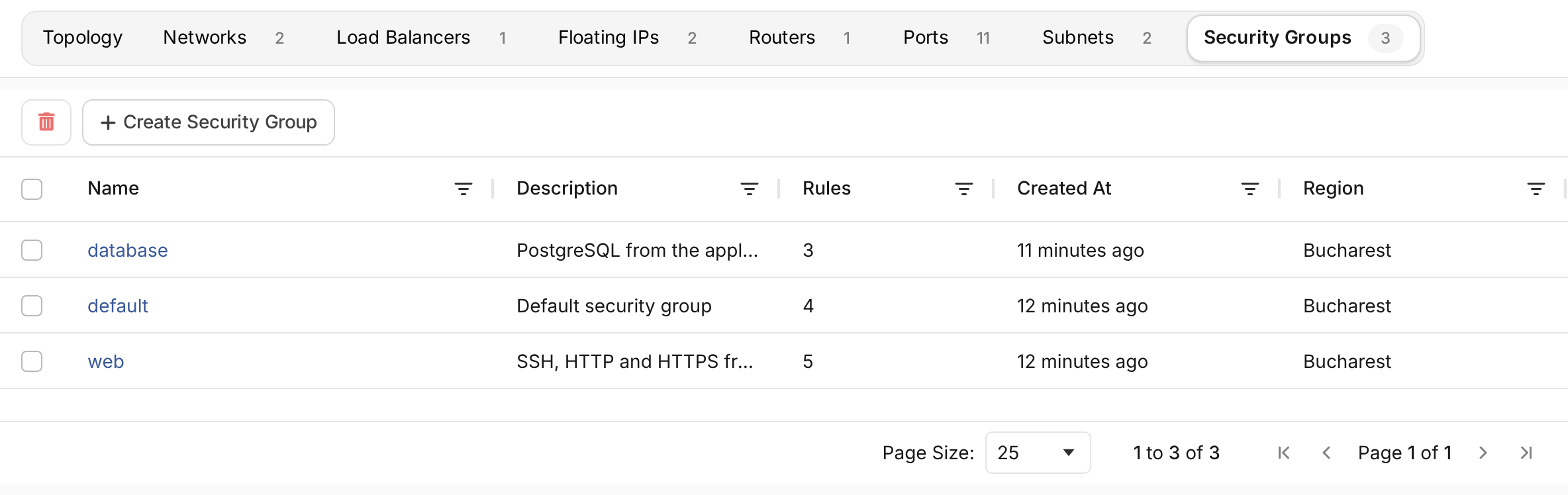
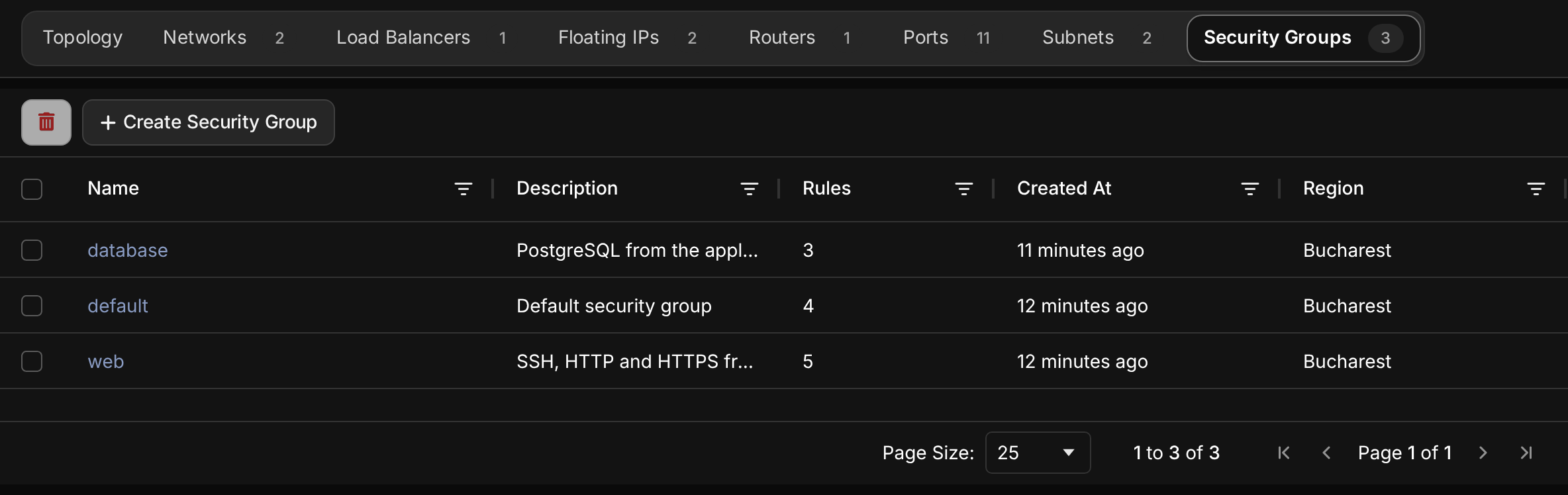
Create a security group
- Choose Create Security Group.
- Choose the Location, and enter a Name and a Description.
- Create the group, then add its rules.
You can also create a group while creating a server. The form there offers ready-made rules for SSH, HTTP and HTTPS.
Add a rule
Open the group and choose Add rule.
| Field | Choice |
|---|---|
| Rule | All Protocols, or Custom Protocol to pick one |
| Description | What the rule is for, such as PostgreSQL from the application network |
| Direction | Ingress for traffic to the server, Egress for traffic from it |
| Protocol | TCP, UDP, ICMP or ICMPv6, for a custom protocol |
| Open Port | One Port, a Port Range, or All Ports |
| Remote | A CIDR range the traffic comes from, or another Security group |
| Ether Type | IPv4 or IPv6 |
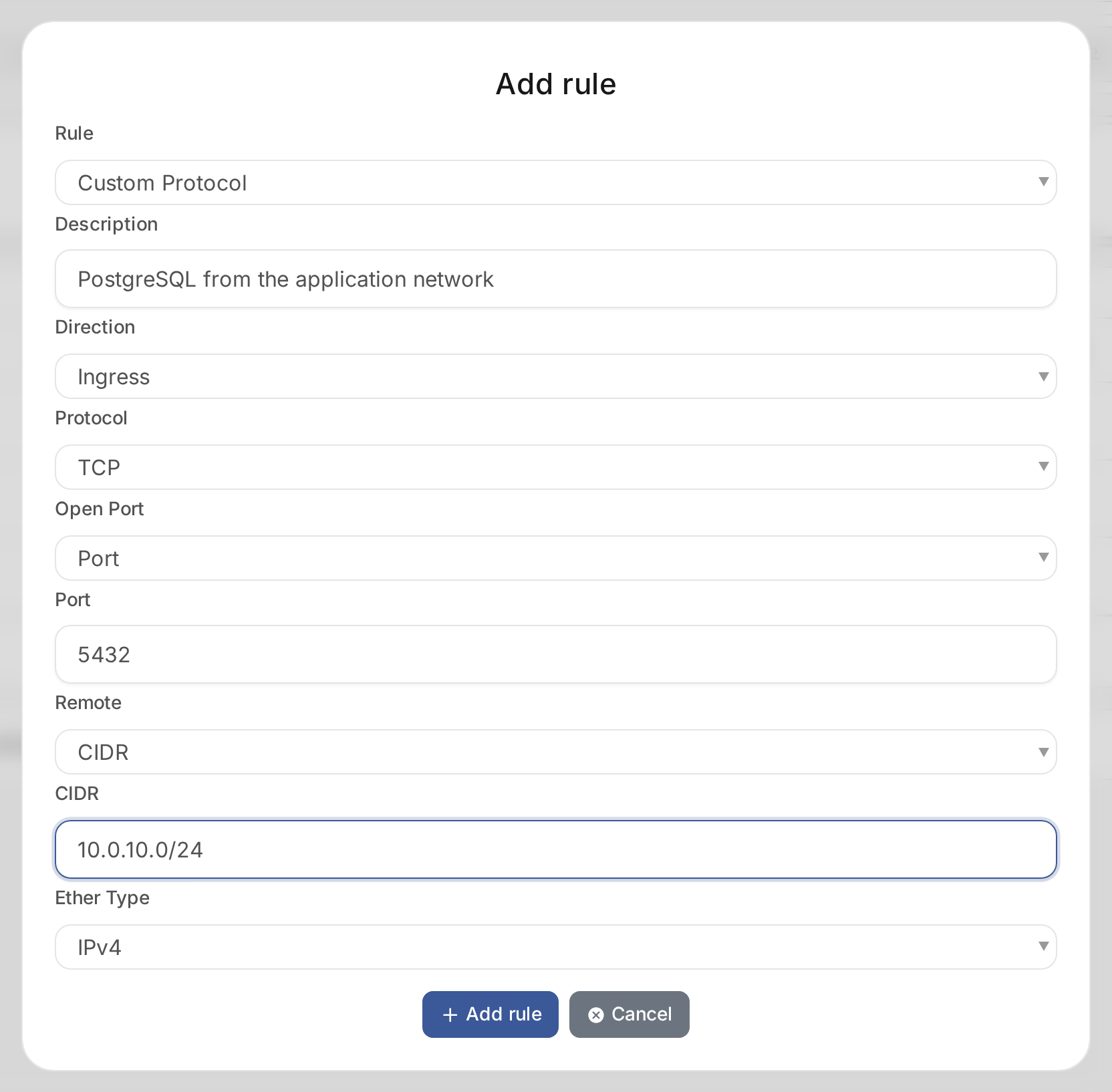
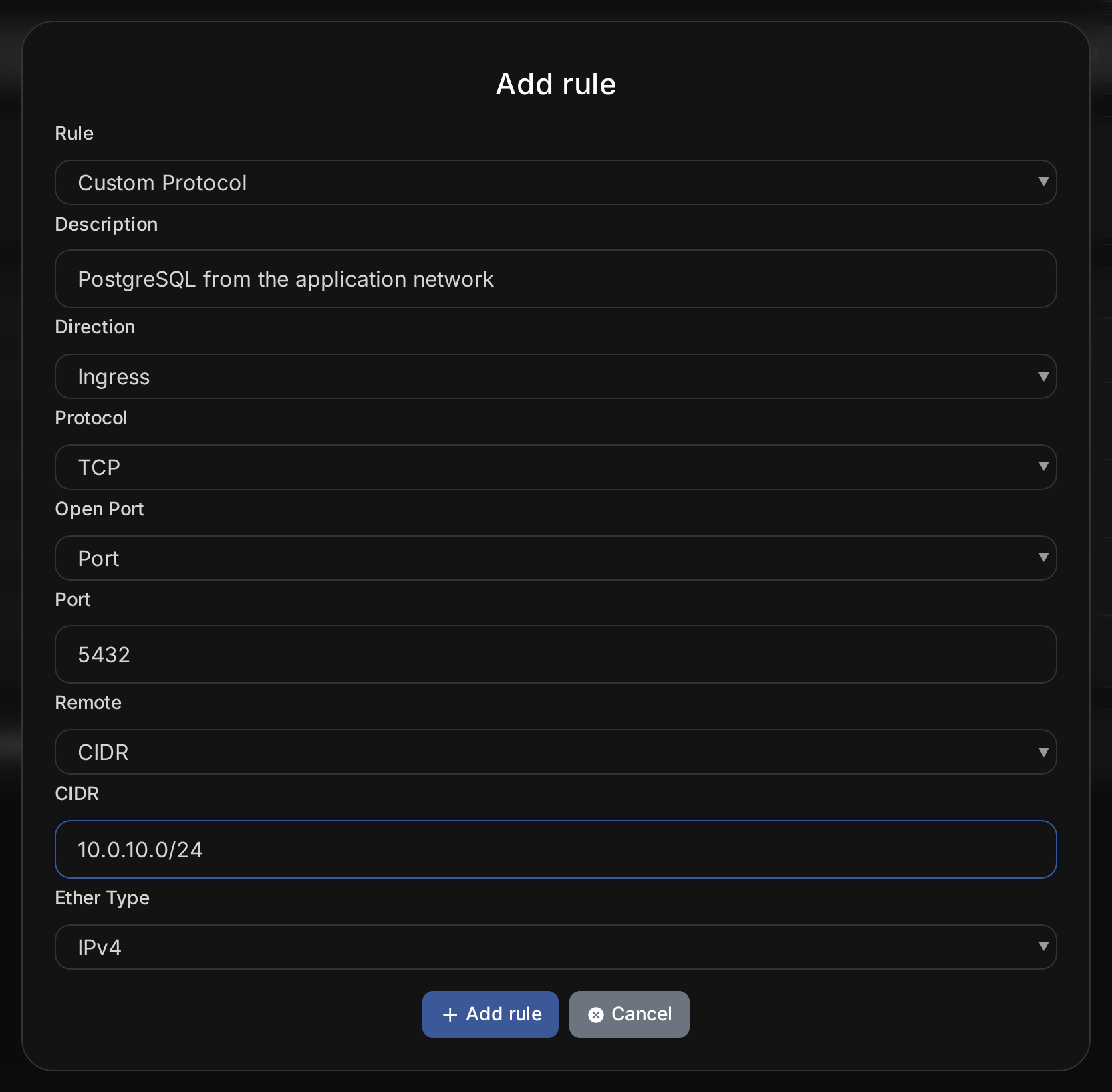
A remote CIDR of 0.0.0.0/0 allows any IPv4 address. Limit it to the addresses that need access, such as
your office range for SSH. A remote security group allows traffic from every server in that group,
which suits rules between tiers, such as web servers reaching a database.
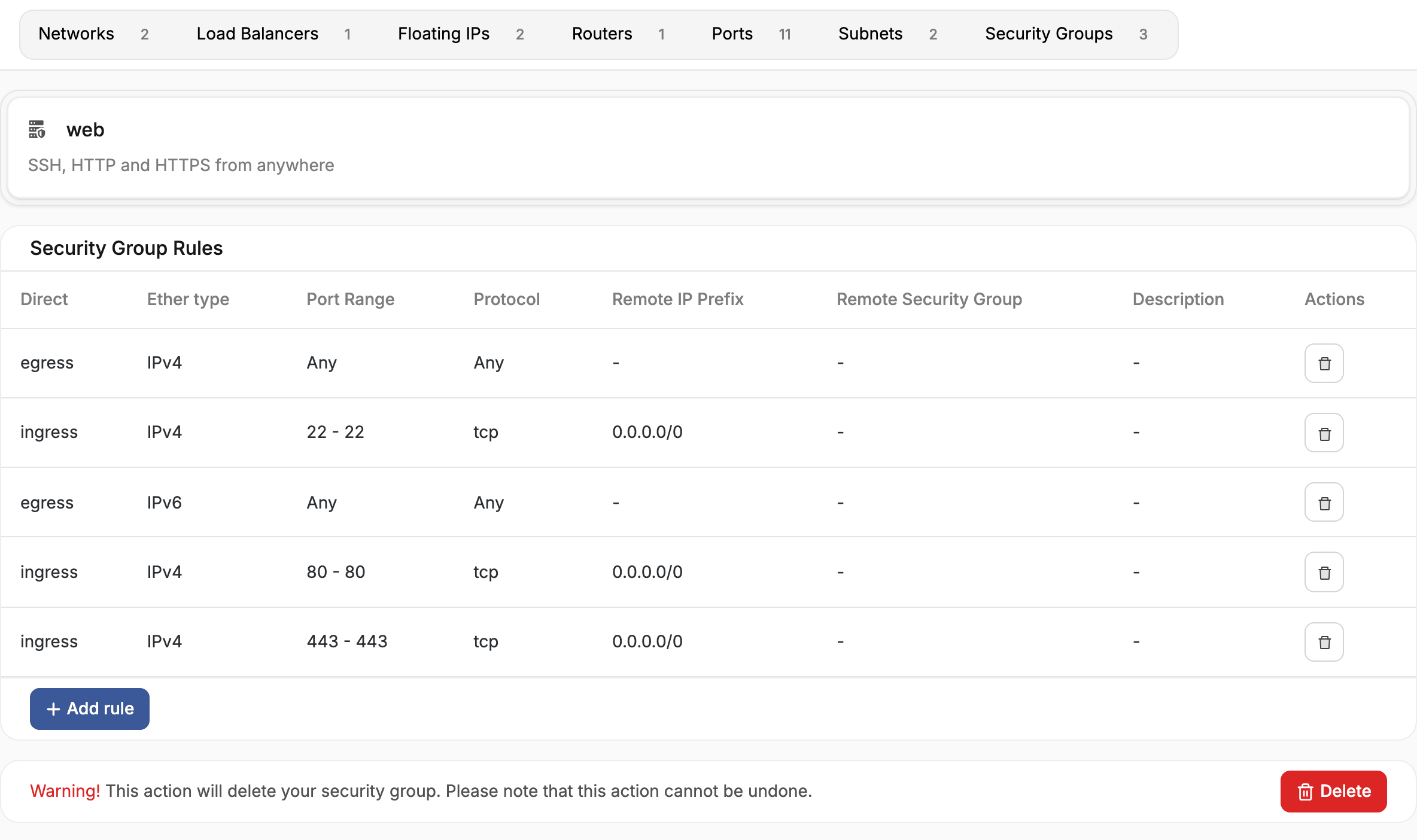
Rule changes apply at once to every server that uses the group. To remove a rule, delete it from the group's list.
Apply a group to a server
Choose security groups when you create a server, or open the server's Security Groups tab to add or remove groups later. See Manage servers.
Delete a security group
Remove the group from every server that uses it. Then open the group and delete it.