Realms
An identity realm is a self-contained sign-in boundary: its own users, login page, identity providers, OAuth2 clients, and OpenStack domain access — isolated from every other realm. Realms are how you segregate customers: each customer organization can get its own realm, its own sign-in URL, its own identity providers, and its own OpenStack domain.
For the model behind realms — and how they map onto OpenStack domains and projects — see Identity and access model in the Operator's manual.
Realms are managed from System > Settings > Identity management.
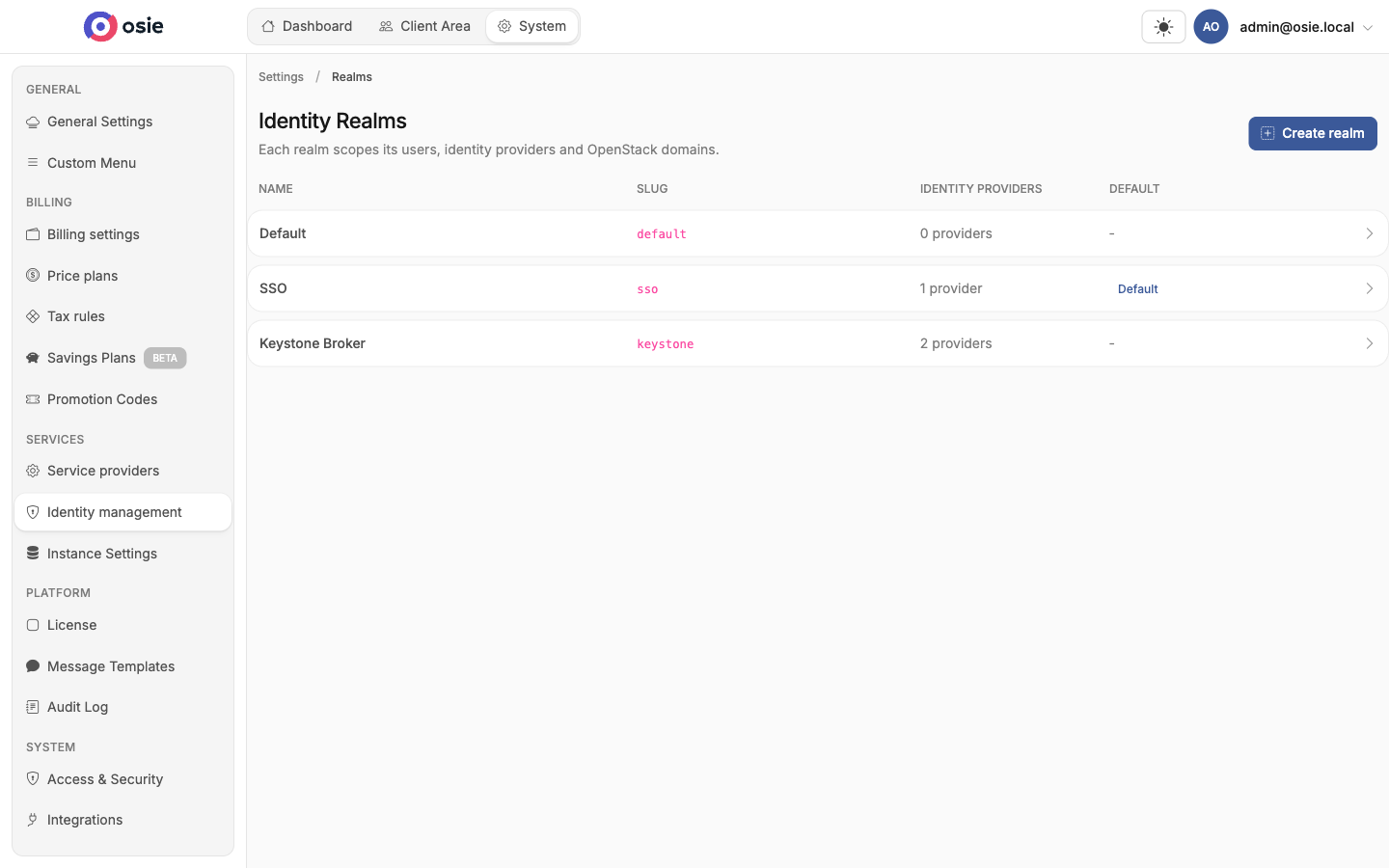
Exactly one realm is marked as default — it serves the platform's main sign-in page, used when no realm is specified. Every other realm is reached through its own login URL.
Create a realm
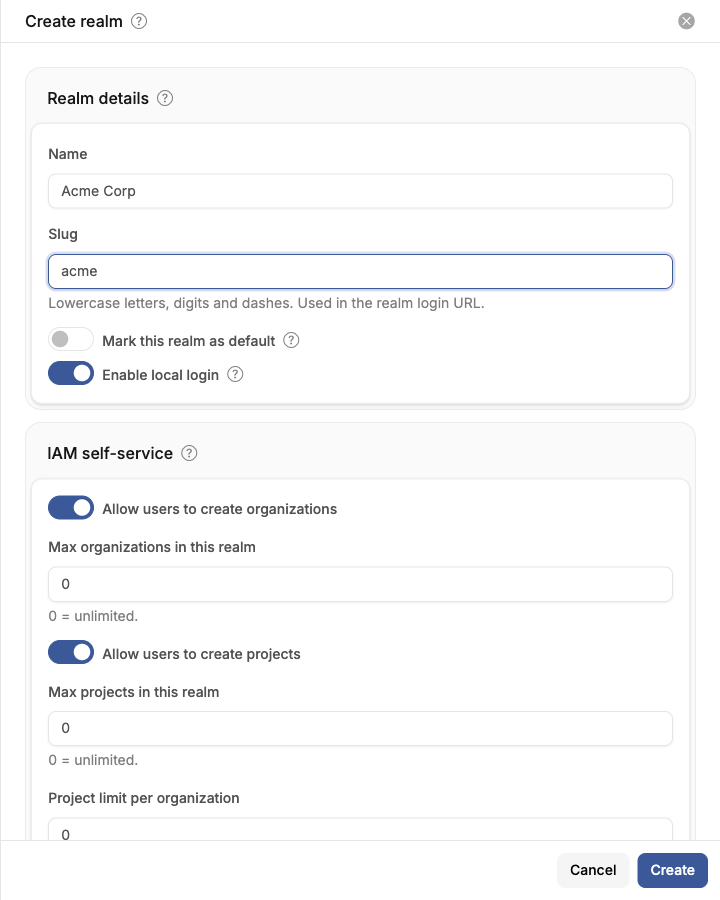
Click Create realm and fill in:
- Name — the display name, shown on the realm's login page.
- Slug — lowercase letters, digits and dashes. Used in the realm's login URL and OIDC issuer URL. The slug is locked after creation so existing login URLs keep working.
- Mark this realm as default — new sessions use this realm when none is specified.
- Enable local login — lets users sign in with credentials kept in this realm (email & password, passkeys, social). Turn it off later to rely entirely on external identity providers — this requires at least one enabled identity provider, so it cannot be disabled at creation time.
- IAM self-service — whether users of this realm can create their own organizations and projects, and how many (0 = unlimited).
Once created, users of the realm sign in at:
https://<your-host>/auth/realms/<slug>/login
General settings
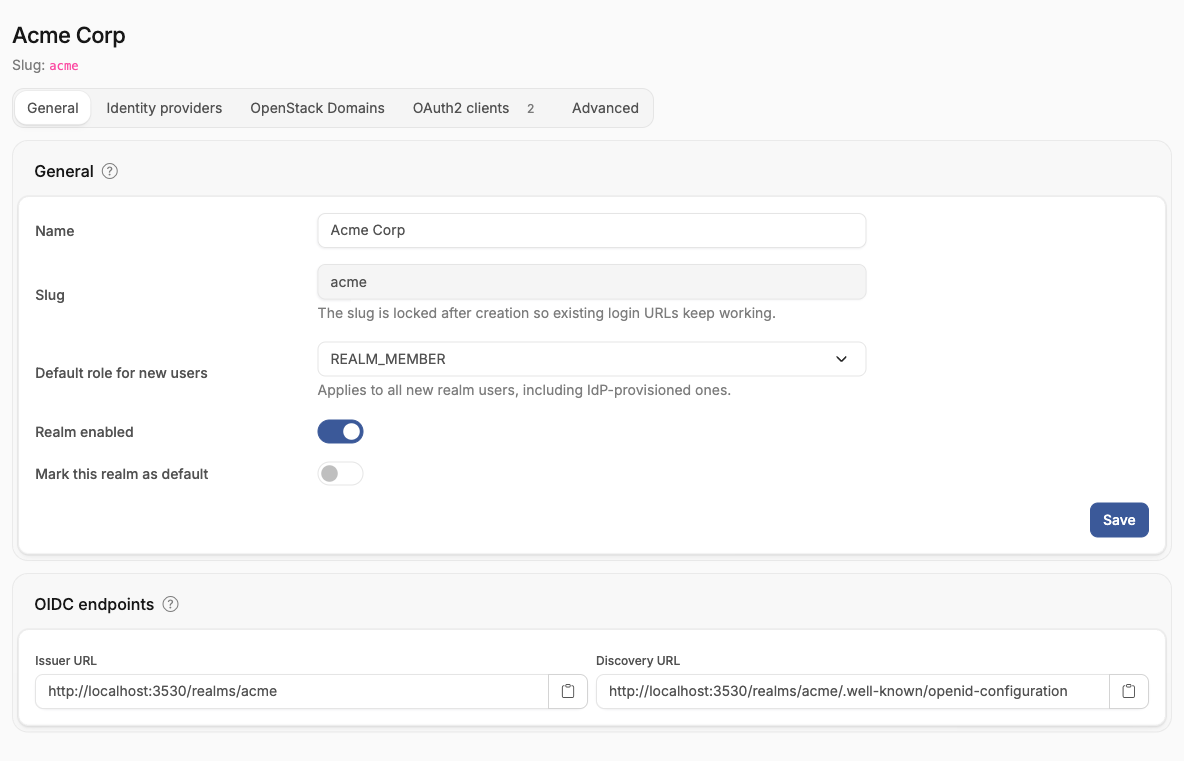
The General tab holds the realm's name and defaults:
- Default role for new users — the realm role every new user receives, including users provisioned through an
identity provider.
REALM_MEMBERcan create and manage organizations (subject to the self-service limits);REALM_USERcan only sign in and use what they are invited to. - Realm enabled — a kill switch. Disabling a realm immediately blocks sign-in and invalidates its users' sessions.
- Mark this realm as default — transfers the default flag from the current default realm.
OIDC endpoints
Every realm is a full OpenID Connect provider. The OIDC endpoints card shows the realm's issuer URL and discovery URL — hand these to any application that should sign users in through this realm, including OpenStack Keystone (see Keystone federation).
OAuth2 clients
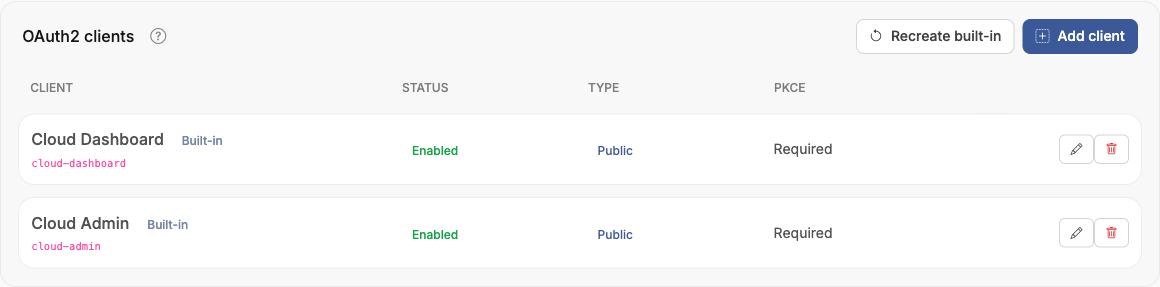
The OAuth2 clients tab lists the applications allowed to sign users in with this realm. Every realm comes with two built-in clients — Cloud Dashboard (the customer portal) and Cloud Admin (the admin portal) — which can be restored at any time with Recreate built-in.
Add your own clients to integrate external applications with the realm: each client defines its redirect URIs, allowed web origins, authentication method (public with PKCE, client secret, or private key JWT), and scopes.
Advanced
The Advanced tab adjusts the organization and project self-service limits after creation, and holds the danger zone: a realm can be permanently deleted only once it has no members, organizations, or OpenStack domain access.