Purchase a Savings Plan
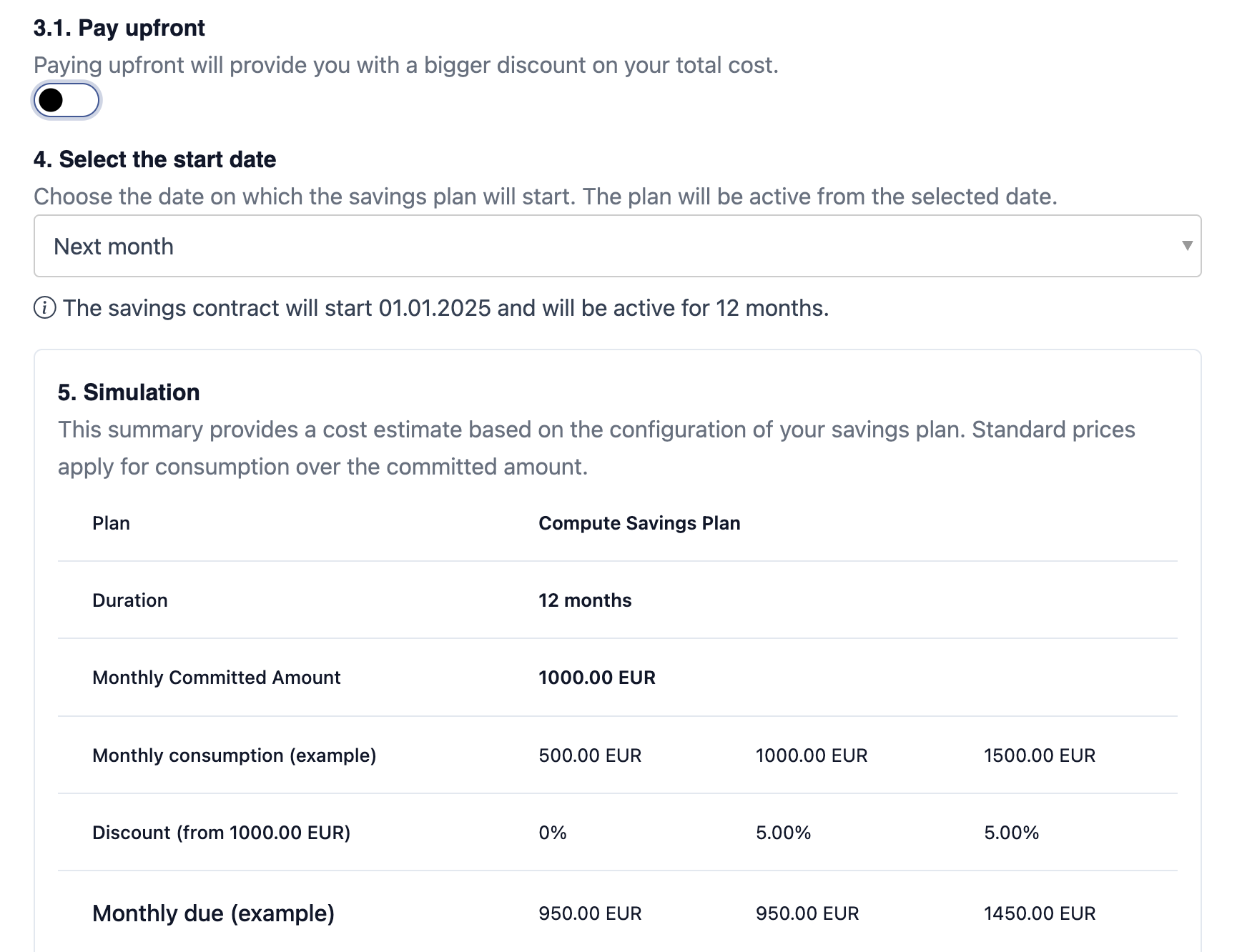
1. Select the Savings Plan
Navigate to Financial > Savings Plans and click on purchasing a new plan.
- Select one of the savings plan that fits your needs.
- Choose the duration
- Enter the commited amount. This is a monthly amount that you commit to use.
2. Payment
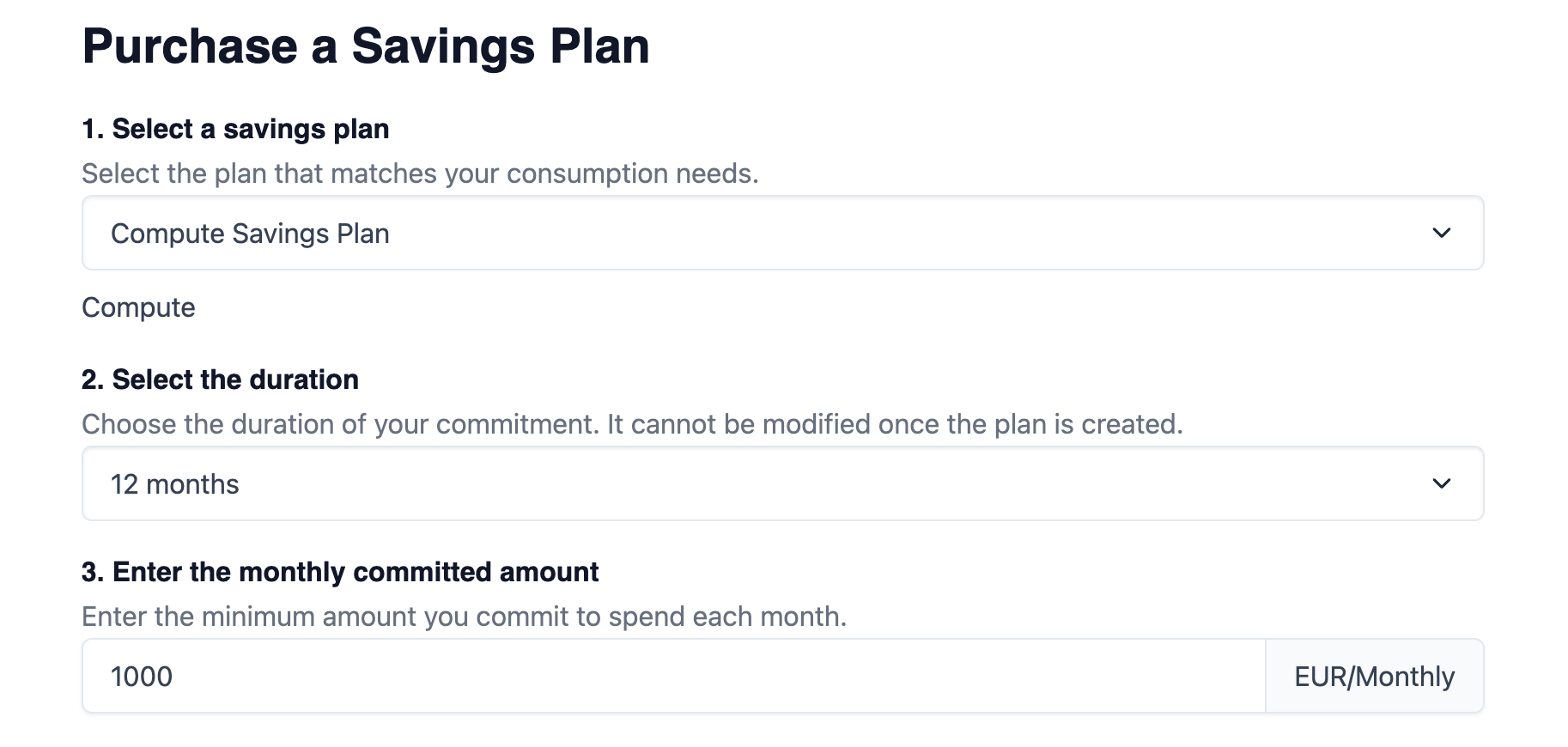
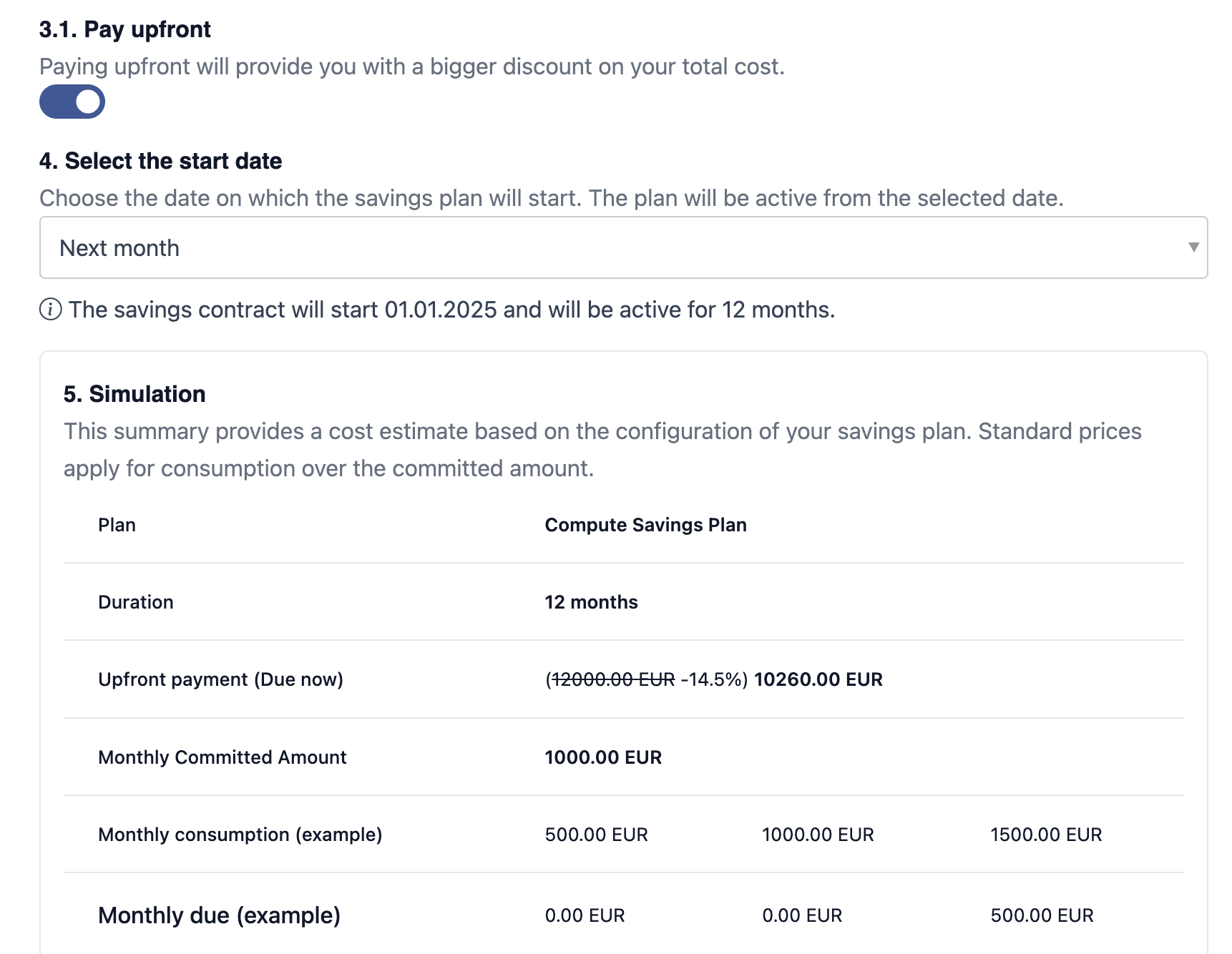
Once you selected the Savings Plan, you can choose to pay in advance (upfront) or pay on a monthly basis (no upfront).
2.1 Full Upfront Payment
Upfront payment usually give you higher discount rates. The advance payments will be subtracted from the final monthly invoice.
2.2 No Upfront Payment
You can also choose to pay for the commitment on a monthly basis. If you don't reach the commited usage, you will still have to pay the minimum amount that's been committed.