Network ports
A port is a connection to a network. An instance has one port on every network it is attached to, and the port holds the instance's addresses on that network and the security groups applied to its traffic.
Turn a port off
Turning a port off stops all traffic through it. The instance keeps running, and the port keeps its addresses and security groups. Use it to cut an instance off from one network — to isolate a compromised machine, or to take an interface out of service during maintenance — without deleting or reconfiguring anything.
- Go to
Networking > Portsand open the port. - Choose the edit button at the top right.
- Turn off Port enabled (admin state up), then save.
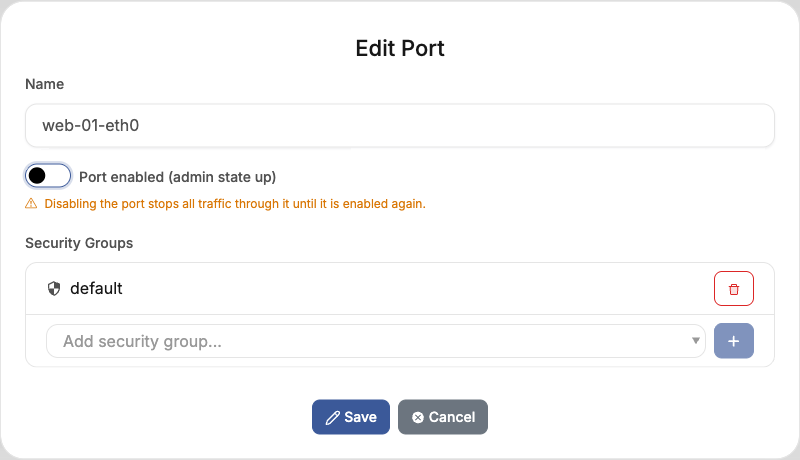
Turn the switch back on to restore traffic. The port's Admin State UP field shows whether it is enabled. Renaming the port or changing its security groups leaves its state as it is.
Your role in the project and the cloud's own permissions decide whether you can change a port's state.