Configure VHI S3
Introduction
OSIE supports the VHI S3 storage as a backend for the object storage service. This guide will show you how to configure OSIE to use VHI S3 as the object storage backend.
Prerequisites
- You need to have a VHI Cloud Provider created on OSIE.
- You need to have Ostor management (admin) user created. Here is how to create a management user.
Enable VHI Ostor
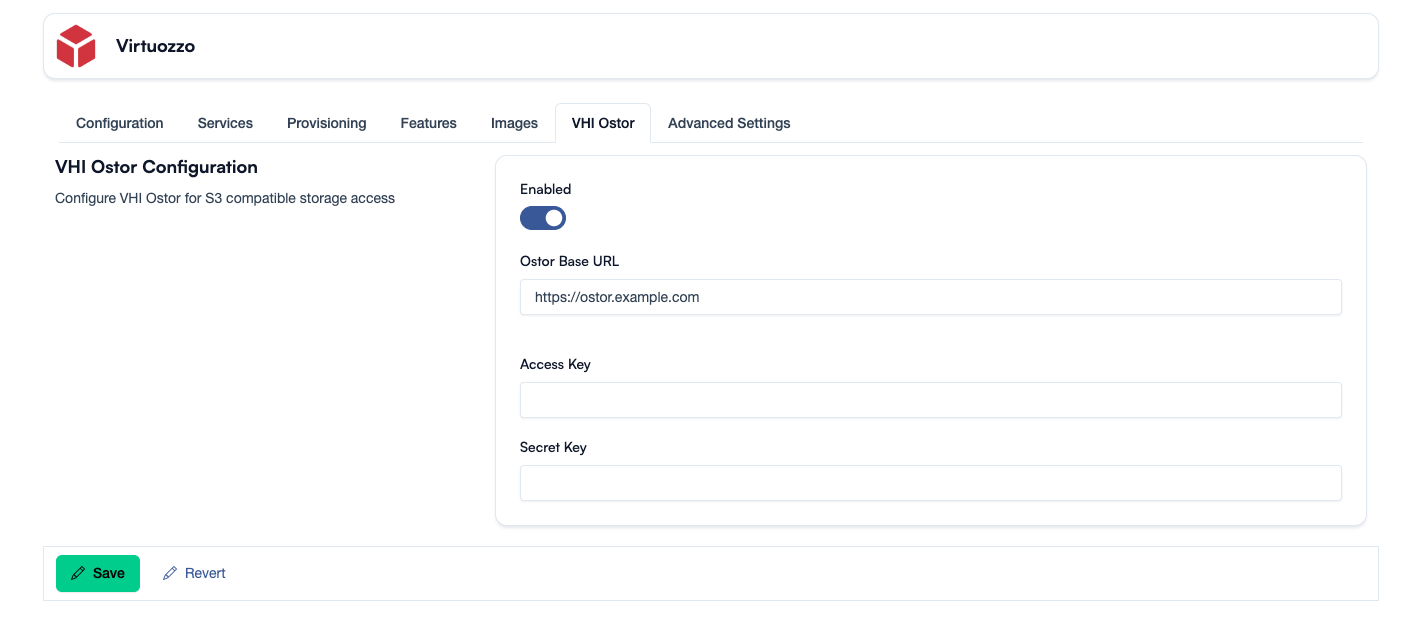
Go to the VHI Cloud Provider and click on the VHI Ostor tab.
First, you need to enable the VHI Ostor feature.
In the VHI Ostor Configuration section, you need to provide the following information:
- Ostor Base URL: The URL of the Ostor service. (e.g. https://ostor.example.com)
- Access Key: The access key of the Ostor service.
- Secret Key: The secret key of the Ostor service.
Click on the Save button to save the configuration.
Now, you can create buckets and objects.