Restore from a backup
A restore creates resources from a backup. By default, it creates new resources so you can verify them before switching your workload to them. You can also choose to overwrite an existing server or volume.
Project members restore into their own project. Operators can restore into another project with
--target-project.
Choose how to restore
| What you restore | Choice | Result |
|---|---|---|
| A server | Recreate the whole instance | A new instance holding every disk of the backup, on the backup's flavor, networks, key pair and security groups, unless you choose others. Cinder disks are restored as new volumes. A Nova-managed root disk is restored as the new instance's root disk. |
| A server | Restore the disks to new volumes | One new volume per disk, attached to nothing. The root disk becomes a bootable volume you can build a server from later. Offered for a server whose disks are all volumes. |
| A server | Restore its Cinder volumes to new volumes | Offered instead for a server booted from an image with volumes attached. Each Cinder volume is restored as a new volume. Restoring the Nova-managed root disk requires recreating the instance. A server with no volumes gets neither volume option. |
| A server | Overwrite the instance's disks in place | The backup is written over the instance's own disks. |
| A server | Attach a copy of one disk to a running instance, read-only | See Attach a backup. |
| A volume | Restore to a new volume | A new volume. |
| A volume | Overwrite the original in place | The backup is written over the volume. |
| A volume | Attach a copy to a running instance, read-only | See Attach a backup. |
| A bucket | Restores into a new bucket | A new bucket holding every object of the backup. |
Restore a server or volume
- Console
- CLI
Open a backup and choose Restore, or choose Restore on a resource's page to start from its newest backup.
- Under What to restore into, pick one of the choices above.
- Name what the restore creates. The default is the original's id followed by
-restored. A recreated server's volumes take its name followed by-0,-1and so on, in disk order. - To recreate a server differently, fill in Restore in a different shape (below). Anything left blank comes from the backup.
- Choose Start restore.
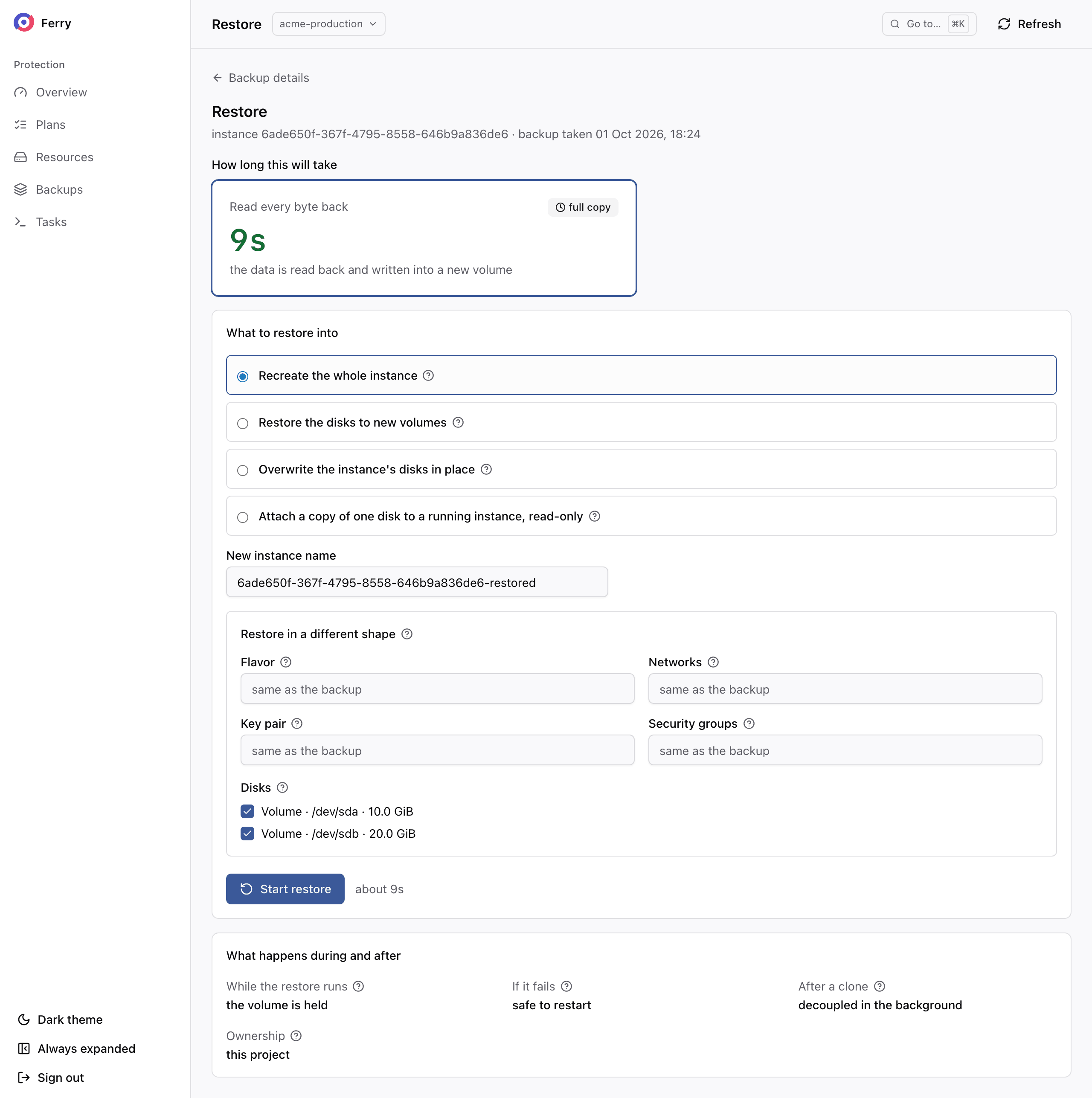
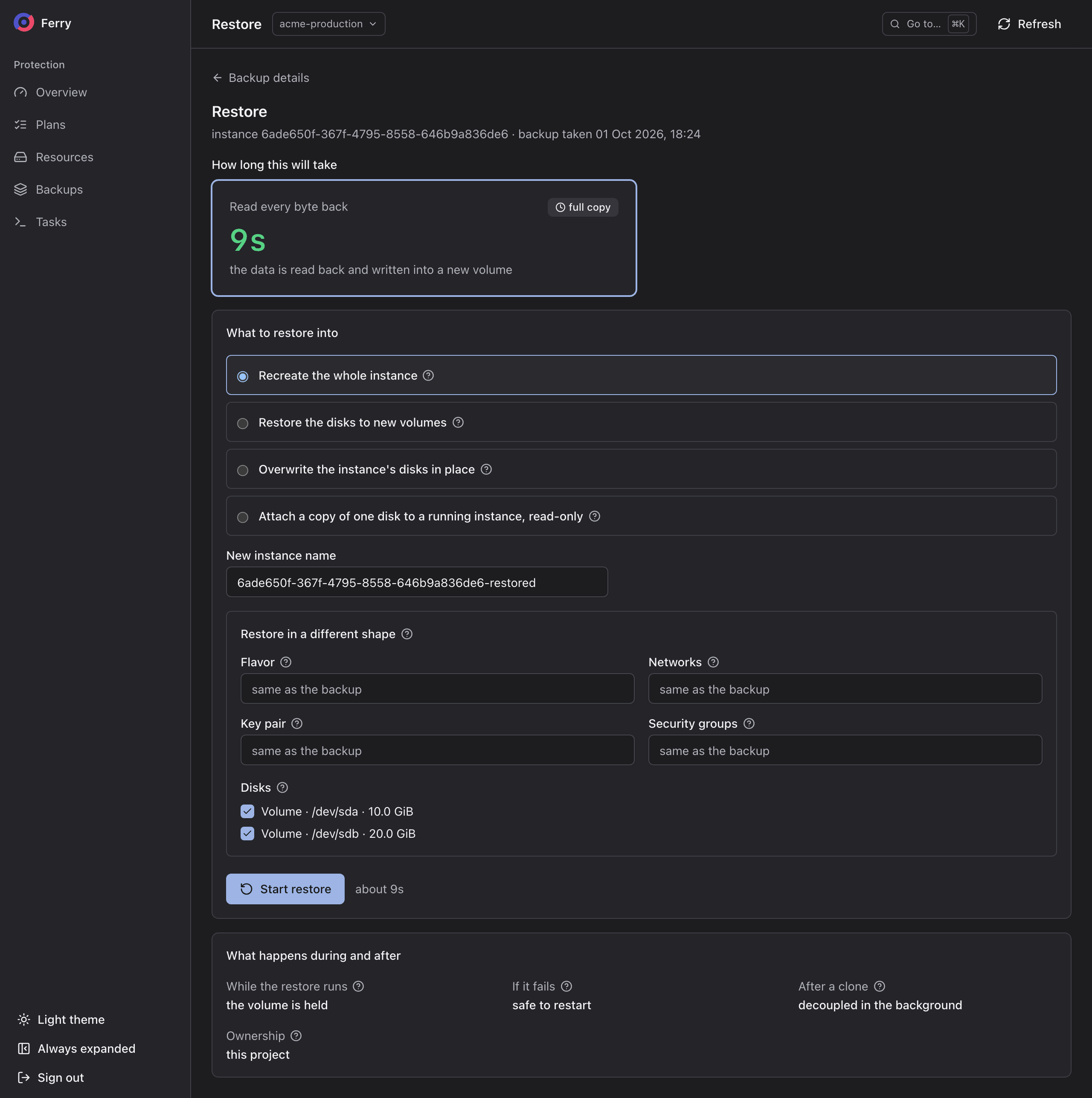
Estimate first, then restore:
openstack backup restore estimate --point <backup-id> --mode instance
openstack backup restore create --point <backup-id> --mode instance --name web-01-restored
--mode takes one of four values. instance recreates a server. volume restores a server's disks,
or a volume, to new volumes. in_place overwrites the original. bucket restores a bucket. --volume-type and
--availability-zone place the new volumes. Follow the restore with:
openstack backup restore show <restore-id>
The new volumes exist from the moment the restore starts. They stay unusable until their data is written. A recreated server exists before the restore reports success. A server whose root disk Nova keeps is created first, stays shut off while its disks are written, and then starts. A server booted from volumes is created from them once their data is written.
Change the restored server's configuration
A restored server can use a different flavor, network, key pair or security groups. Set these under Restore in a different shape:
| Field | Effect |
|---|---|
| Flavor | The new server's flavor. If left blank, the backup's own flavor is used. If that flavor no longer exists, the nearest one that fits is used. |
| Networks | Comma separated. One network puts every port on it. One network per port maps them in order. The original fixed addresses are not kept. |
| Key pair | The key pair injected into the new server. Left blank, the backup's own key pair is used. |
| Security groups | Groups that already exist in the project. |
| Disks | Unticked disks are not restored. Leaving out the boot disk restores the remaining disks as plain volumes. |
The disk selection also applies to Restore the disks to new volumes. The other fields apply only when the whole server is recreated. The CLI takes the same choices:
openstack backup restore create --point <backup-id> --mode instance --name web-01-large \
  --flavor <flavor> --networks <network> --key-name <key-pair> --security-groups <group>
A backup taken before release 0.12.0 carries no copy of the key pair. If the original server still
exists in the project, the server is recreated with the original key pair. Otherwise it boots with the
keys its disks already hold, such as the authorized_keys its guest wrote. Name a key pair to inject
one.
Restore over the original
An in-place restore overwrites the server's or volume's current data with the backup. Writes made since the backup are lost. The console requires confirmation before starting.
- A server must be stopped first. If the server is running, the restore fails at the start, before it writes anything, with instance … is ACTIVE; stop it before restoring over its disks.
- A volume must be detached first: restore target … is attached to instance …; detach it before restoring into it.
The server or volume keeps its id, its name and its place in plans. Start the server again once the restore completes.
If an in-place restore of a stopped server fails part-way, do not start the server until a restore has succeeded. Its disks may hold part of the backup and part of what was there before.
Restore a bucket
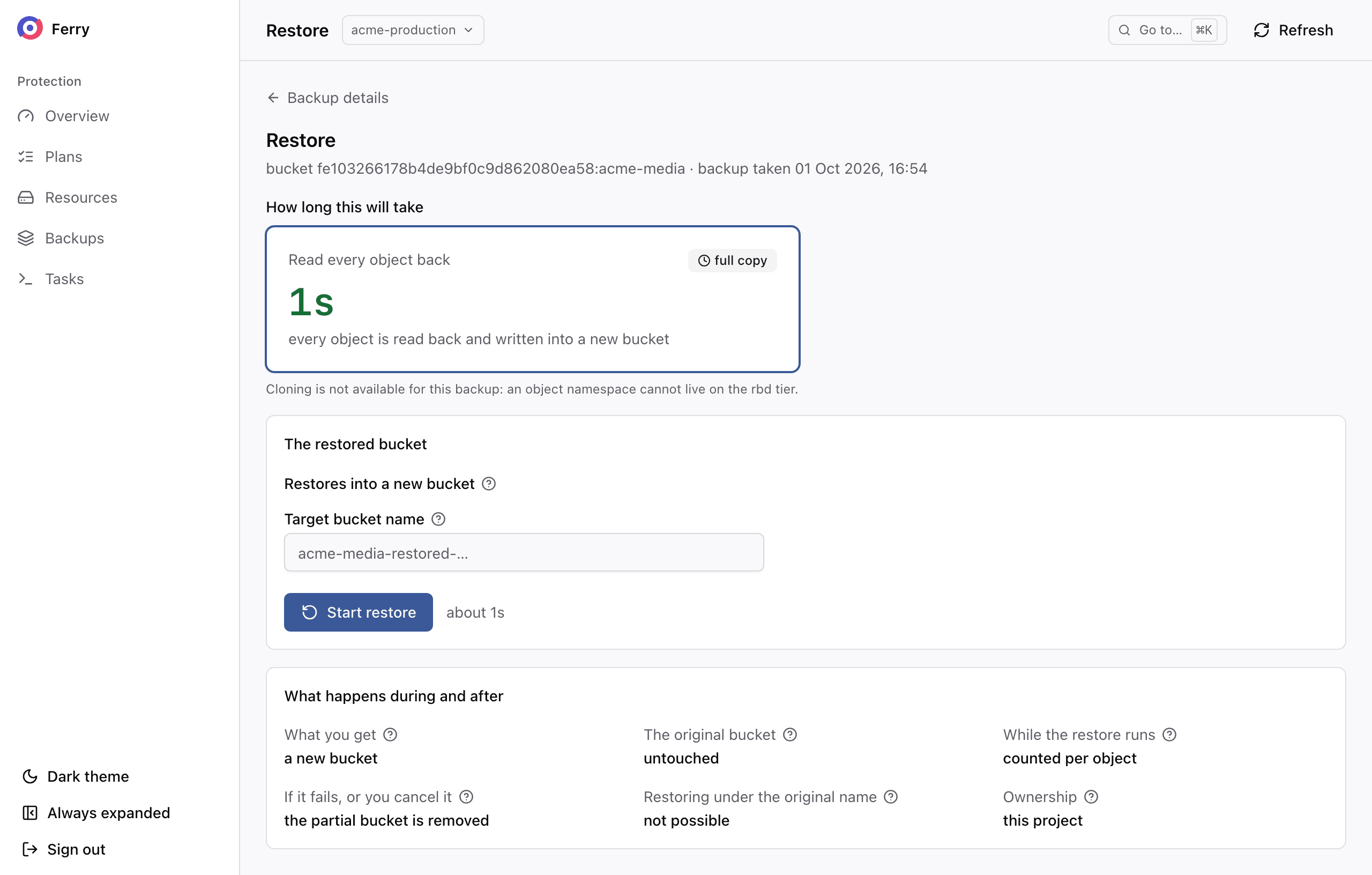
A bucket restore creates a new bucket. The original remains available while you check the restored
copy. Leave Target bucket name blank to use the original name followed by -restored- and eight
characters, or enter an unused, valid bucket name. The service rejects existing bucket names and
removes the partial bucket if the restore fails.
Backups from another region
When your cloud operator recovers a resource of another region into your project, its backups appear under Backups like your own and restore the same way. Choose the newest one and restore it as new resources. Those backups belong to the region that wrote them. They expire there, and deleting one here is refused with point belongs to another cloud. A policy whose sentence names a recovery site, such as "Recoverable at eu-west within 30 minutes", states the recovery target configured by your operator.
Restore duration
The restore page shows an estimate before you start. Where the policy keeps recent backups on a fast tier, a volume is restored by cloning its copy there, and it is available in seconds. The page then offers Clone a ready copy. Otherwise the restore reads every byte back from the repository (Read every byte back), and the time grows with the size of the disks.
A restore always reads the repository copy when it is an attachment, an in-place restore or a bucket, when it names a mapping profile, a volume type or an availability zone, or when Nova manages the disk. When the fast copy cannot be used, the estimate says why: the backup was never copied to the fast tier, is waiting or being copied, its copy stalled, or it has aged out of the tier. The estimate is also available from the CLI, as above.
Follow a running restore under Tasks, or on the resource's page under Restores.
Troubleshoot refused restores
| Message | Cause | Fix |
|---|---|---|
| point is not restorable | The backup is still being taken, broken or expiring. | Choose a committed or verified backup. |
| an application credential cannot authorise a restore | The CLI is signed in with an application credential. | Sign in with a password, or ask your operator to run the restore. |
| instance … is ACTIVE; stop it before restoring over its disks | An in-place restore of a running server. | Stop the server and restore again. |
| restore target … is attached to instance … | An in-place restore of a volume attached to a server. | Detach the volume, or restore the whole server in place while it is stopped. |
| this point does not contain every disk of its resource | The backup lacks a disk. Either the disk could not be read, or the plan leaves it out. | In the console, tick I understand these disks were not backed up and will not be restored under the list of missing disks. With the CLI, add --acknowledge-partial. Or choose another backup. |
| … disk(s) of this point belong to the instance rather than to Cinder, and only an instance restore can put them back | A volume restore, from the CLI, of a server whose root disk Nova keeps. | Restore with --mode instance, or pass --disks naming only its Cinder volumes. |