Immutable backups
S3 Object Lock protects backup data against deletion or overwriting before its retention date. In compliance mode, this restriction applies even to administrators with storage credentials. The service sets each object's lock date from the backup's expiry and the repository's retention settings.
Immutability is a property of the repository. Every policy that writes to a locked repository is immutable, as is its associated vault. Projects see this in the policy summary: "Backups are kept in the Immutable vault and cannot be erased before they expire, by anyone."
The retention contract
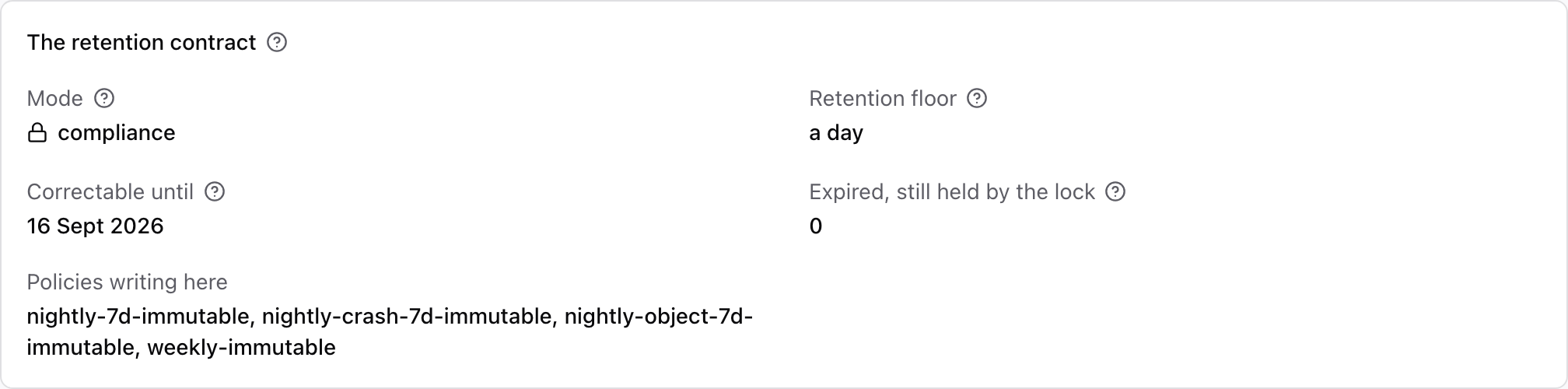
The retention contract defines the lock mode and retention limits for a repository:
| Setting | Flag | Meaning |
|---|---|---|
| Mode | --lock-mode | compliance: nobody can shorten a lock, the storage administrator included. governance: an administrator holding the bypass permission can. The policy sentence then reads "except by an operator with bypass". The service itself never uses the bypass. |
| Floor | --lock-min-retention | Every object written is held at least this long. A policy that would keep backups for less is refused, naming the floor. |
| Ceiling | --lock-max-retention | Optional. A policy that would lock backups for longer is refused. |
| Grace | --lock-changeable-until | Until this instant the contract can be corrected or removed. Three days after registration by default. |
Use the grace period to check and correct the contract. After it ends, you can only increase the floor. You cannot change the mode, remove the lock or remove a repository that contains locked data. Rejected changes report the grace period's end date.
Raising the floor preserves existing backups' expiry dates. First update every policy on the repository to retain backups for at least the new minimum.
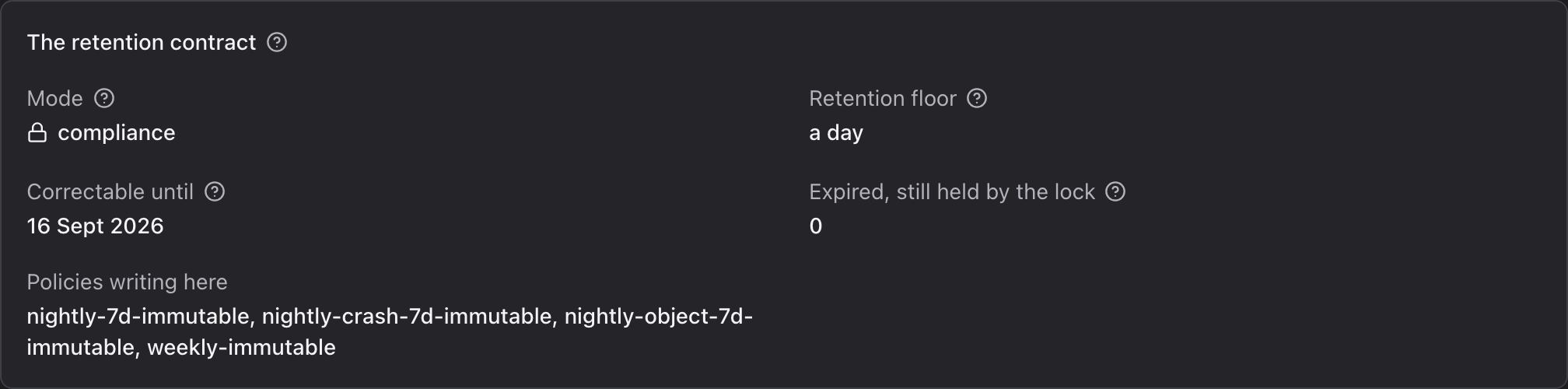
The repository's page in the console's operator section shows the contract in force:
Register a locked repository
Create the bucket with Object Lock enabled and no default retention rule. A default rule would also lock the service's own short-lived bookkeeping objects. Then:
ferry repository register \
  --name primary-locked \
  --site <site> \
  --driver s3 \
  --endpoint https://s3.mycompany.com \
  --bucket backups-locked \
  --region <region> \
  --access-key <access-key> \
  --secret-key <secret-key> \
  --lock-mode compliance \
  --lock-min-retention 7d \
  --soft-delete-grace 14d
The first health check after registration tests the bucket. It checks that version listing works, that a conditional write over an existing object is refused, and that the store checks write checksums. A check that fails does not stop the repository working. System health says which guarantee falls back to what.
Object hold period
A backup's expiry is fixed when it completes, from the role it holds in its policy ("each backup is kept for 7 days, one a month for 6 months"). Every object the backup refers to is held until that date, or until its write time plus the floor, whichever is later. Chunks shared by several backups are held for the longest of them. The lock is extended each time a newer backup reuses a chunk.
New objects are written with the floor and extended to the backup's full date immediately before the backup completes. A backup that fails half-way therefore holds its data for at most the floor's length.
Lock dates are rounded up to a granularity, 7 days by default (ferry repository update --lock-granularity). So objects written over a week share one date, and the bucket's version count
stays manageable.
Deleting under a lock
Deleting a locked backup immediately hides it from the project and removes it from the project's usage. Storage retains the data until both the lock and deletion grace period end. An operator can recover it during that period. The same rules apply when deleting a plan with its backups or offboarding a project.
Encryption needs a recovery key first
Losing an encryption key makes locked backups unreadable while storage continues to retain them. Before creating encryption keys in a locked repository, configure at least one recovery recipient. This is a key pair whose private key you keep offline. The service also encrypts each repository encryption key for the recipient. Backups fail with recovery_recipient_missing until a recipient is configured.
Generate a recipient, where the manager runs:
docker exec -it ferry_manager ferry-manager recovery-keygen --label safe-1 --out /tmp/safe-1.recipient.json
The command prints a recovery seed once and stores it nowhere. Write it down and keep it outside the cloud. Any single recipient is enough to recover the repository, so generate several and keep them in different places. Then add the recipients to the repository:
docker exec -it ferry_manager ferry-manager backfill --recipient /tmp/safe-1.recipient.json --repository primary-locked
backfill is safe to run again and writes only what is missing. A repository without encryption
(ferry_kms_driver: none) needs no recipient.
Moving an existing deployment to immutability
Register a new, locked repository next to the existing one, and write policies that keep their backups
there. Then move plans onto them with ferry policy retire --successor <new-policy> <old-policy>. A
locked policy protects at least as well as an unlocked one, so the move is accepted. Every plan moves
in one step. Backups already in the old repository keep their dates and expire there.