Tax Rules
Introduction
Tax rules are used to define the tax rates for different countries and regions. You can set up tax rules for the countries where we operate. This guide will show you how to set up tax rules for different countries and regions.
Set up tax rules
Go to the Settings at the Tax Rules section.
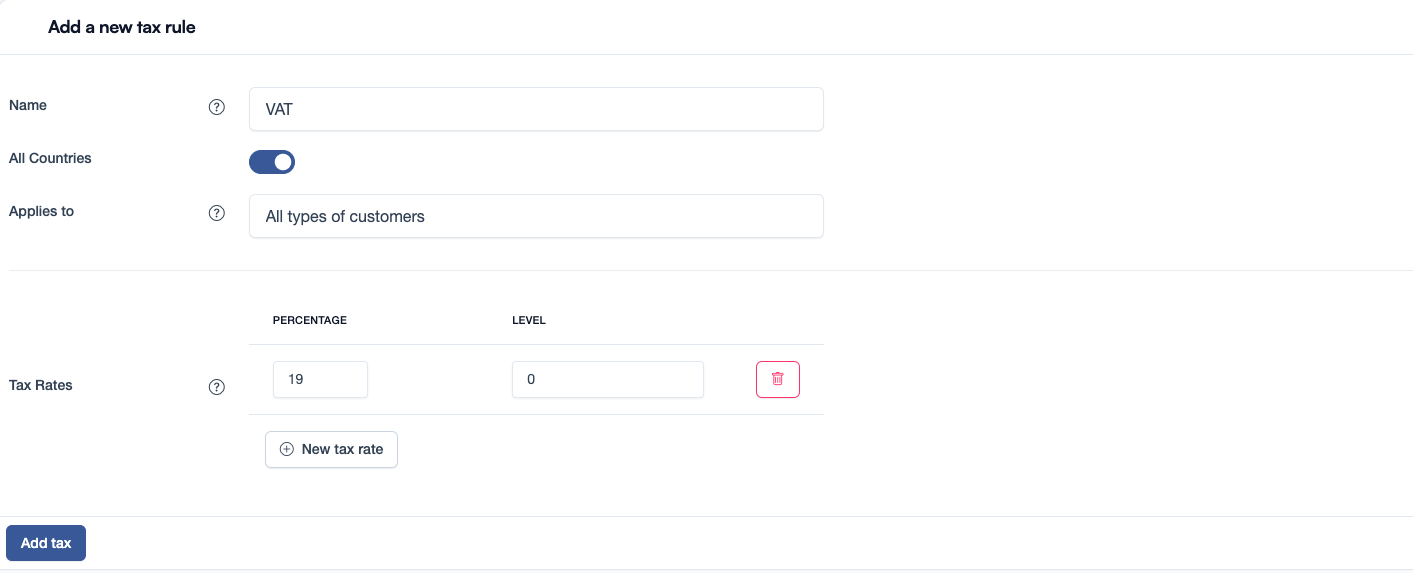
Click on the Add new tax button to create a new tax rule.
Fill in the required information:
- Name: The name of the tax rule. E.g. VAT
- All countries: If the tax rule applies to all countries.
- Country: If the tax rule applies to a specific country. E.g. Germany
- Applies to:
- All types of customers (B2B and B2C)
- Business customers (B2B)
- Consumer customers (B2C)
- Tax Rates: The tax rates for the selected country. E.g. 19%.
If you add multiple tax rates the system will calculate the total tax rate.