Project access from identity claims
An organization group turns a claim from your identity provider into access on the organization's projects. You say which claim puts a user in the group, and which projects the group can reach. OSIE keeps the two in step: a user who gains the claim gains the projects at their next sign-in, and a user who loses it loses them.
This removes two chores. Nobody has to be added to a project by hand, and nobody keeps access after they move teams.
Groups sit inside the wider authorization model described in Roles and permissions.
A group has two parts:
- Claim rules decide who belongs to the group.
- Access policies decide what belonging grants.
Before you start
Claim rules read the claims OSIE stored for a user's federated identity. The realm that owns the organization therefore needs an OIDC identity provider. Users who sign in with local credentials carry no provider claims, so you add them to a group by hand.
Claim rules are set in the admin dashboard. The organization's own administrators can manage groups, policies and members from the customer portal, but they do not see claim rules.
Membership from identity claims
Groups belong to an organization. Open Client Area → Organizations, select the organization, and go to its Groups tab. Create Group opens the group form, and the pencil icon on a group row reopens it later.
A rule names a claim and the value to look for. Add one under Claim rules. For example: claim
groups, value platform-engineering.
The claim can hold a single value or a list. A list matches when it contains the value.
One matching rule is enough. A second rule is a second way into the group, not an extra condition.
Use the claim name your provider issues. If the identity provider also has a
claim mapping that copies groups onto the tokens OSIE issues
under another name, that renaming does not apply here — a rule still matches groups.
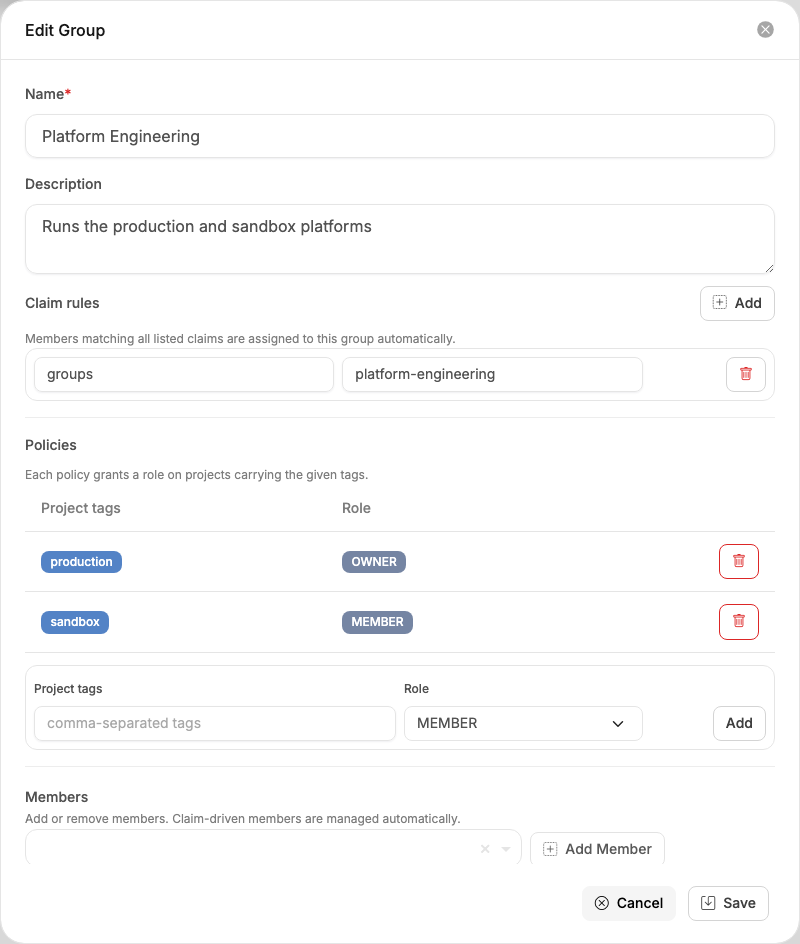
OSIE maintains rule-based membership on its own. It adds the user when the claim appears, and removes them when the claim stops appearing.
Members you add by hand behave differently. They stay until you remove them, and no rule takes them out. A group with no rules at all is managed entirely by hand.
Access from project tags
A policy names a set of project tags and a role. Members get that role on every project in the organization carrying any of those tags.
Policies sit in the same group form, under Policies. Type the tags, choose Owner or Member, and click Add. A policy is saved the moment you add it, unlike the claim rules above, which are stored when you save the group.
The tags themselves are set per project: open Client Area → Projects, select the project, and edit the Tags field on its details page.

Give a group several policies and its members get all of them. When two policies cover the same project, the higher role applies, so an Owner grant is never reduced to Member.
A policy selects projects by tag, never by name. Tag a new project and the right people can already reach it — you do not go back and edit the group. A policy with no tags grants nothing.
Access granted to members
A granted project brings three things with it:
- membership of the project, at the policy's role;
- membership of the organization that owns it, if the user is not a member already;
- the matching roles on every OpenStack cloud the project is provisioned on.
OSIE withdraws all three when the claim disappears or you delete the policy. Access you granted a user directly is never touched.
A user can also hold a project through a group assigned inside OpenStack. OSIE cannot revoke that, so it keeps the project membership and reports it rather than showing access it did not really remove. Remove the OpenStack-side group assignment to finish the job.
Access recalculation
OSIE recalculates group access on two occasions:
- when a user signs in and their dashboard loads;
- when you change a group's rules, policies or members.
The second takes effect at once. An open dashboard refreshes itself, so the user sees the change while they are working.
You cannot put a user in a group before their first sign-in, because until then they have no account in the realm. Their access is worked out when they arrive.
Example
A user signs in from your directory, and their token carries two group values:
"groups": ["cloud-users", "platform-engineering"]
The two do different jobs. cloud-users is what the identity provider's
realm role mapping turns into REALM_MEMBER, which is what
admits the user to the realm in the first place. platform-engineering is what an organization group
matches, and it is the one that hands out projects.
The organization holds three projects, tagged production, sandbox and finance. Two groups divide
them:
| Group | Claim rule | Policies |
|---|---|---|
| Platform Engineering | groups contains platform-engineering | production → Owner, sandbox → Member |
| Finance | groups contains finance | finance → Member |
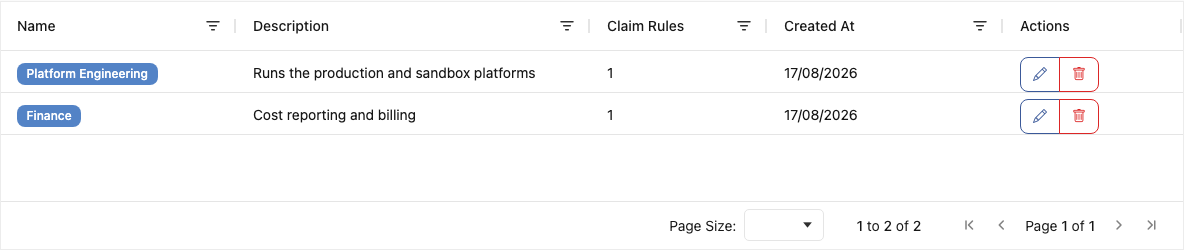
So this user owns the production project and is a member of the sandbox project. The finance project
does not appear for them at all. A colleague whose token carries finance instead sees the finance
project and nothing else.
Move someone from the platform team to finance in your directory, and their next sign-in swaps one set of projects for the other.