Linking realms
A realm can act as an identity provider for another realm: users of the linked realm sign in to the linking realm through their own home realm. The trust between the two realms is established automatically with signed tokens — there is no client secret to create or copy.
To link a realm, add an identity provider of type Link another realm and pick the realm whose users should be able to sign in. OSIE registers the matching OAuth2 client on the linked realm automatically.

Linked-realm providers are typically configured with:
- Hide from login page — the link is used by applications that request it directly, not offered as a button.
- Don't store users — sign-ins pass through without creating user records in the linking realm; the user's home realm remains the single place their account lives.
Broker realms
The main use of realm links is the broker realm pattern: one realm that fronts many customer realms and presents them to the outside as a single OpenID Connect provider. A broker realm:
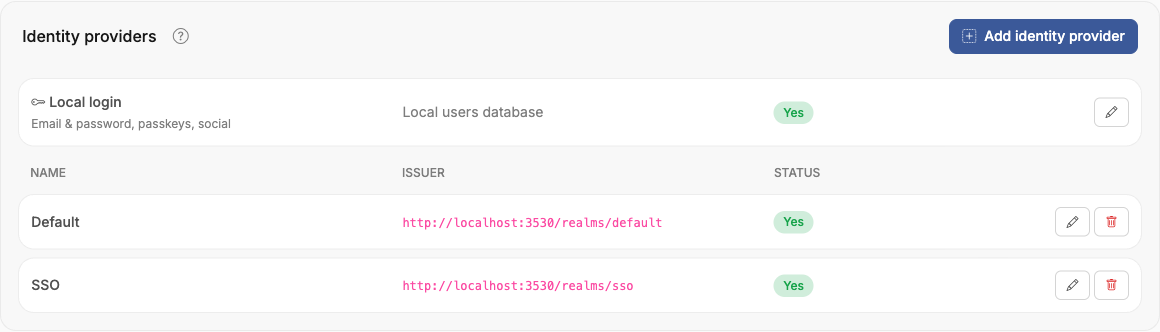
- links every customer realm as a Link another realm identity provider,
- keeps Don't store users on each link, so it owns no accounts,
- enables No login page on its local login, since users never sign in to the broker itself — each sign-in is routed to the user's home realm and completes silently against their existing session.
One identity provider for Keystone
The broker pattern is what keeps OpenStack configuration flat when using Keystone federation for many realms. Keystone is configured once — a single identity provider and a single mapping pointing at the broker realm's issuer. When a user from any customer realm reaches OpenStack, the token the broker issues to Keystone carries the mapped OpenStack domain for that user's home realm, and Keystone places the user in that domain through the one shared mapping.
Onboarding a new customer then never touches Keystone:
- Create the customer realm and its identity providers.
- Link the customer realm into the broker realm.
- Add the customer realm's OpenStack domain access with the Use Keystone token strategy, selecting the broker's Keystone identity provider and protocol.