Move a project to another organization
Moving a project hands it, with its cloud resources, to another organization of the same realm. Access and billing follow the organization: the new organization's members take over the project, and its billing profile pays for the project's usage from the moment of the move. Platform administrators move projects. Customers cannot.
Move the project
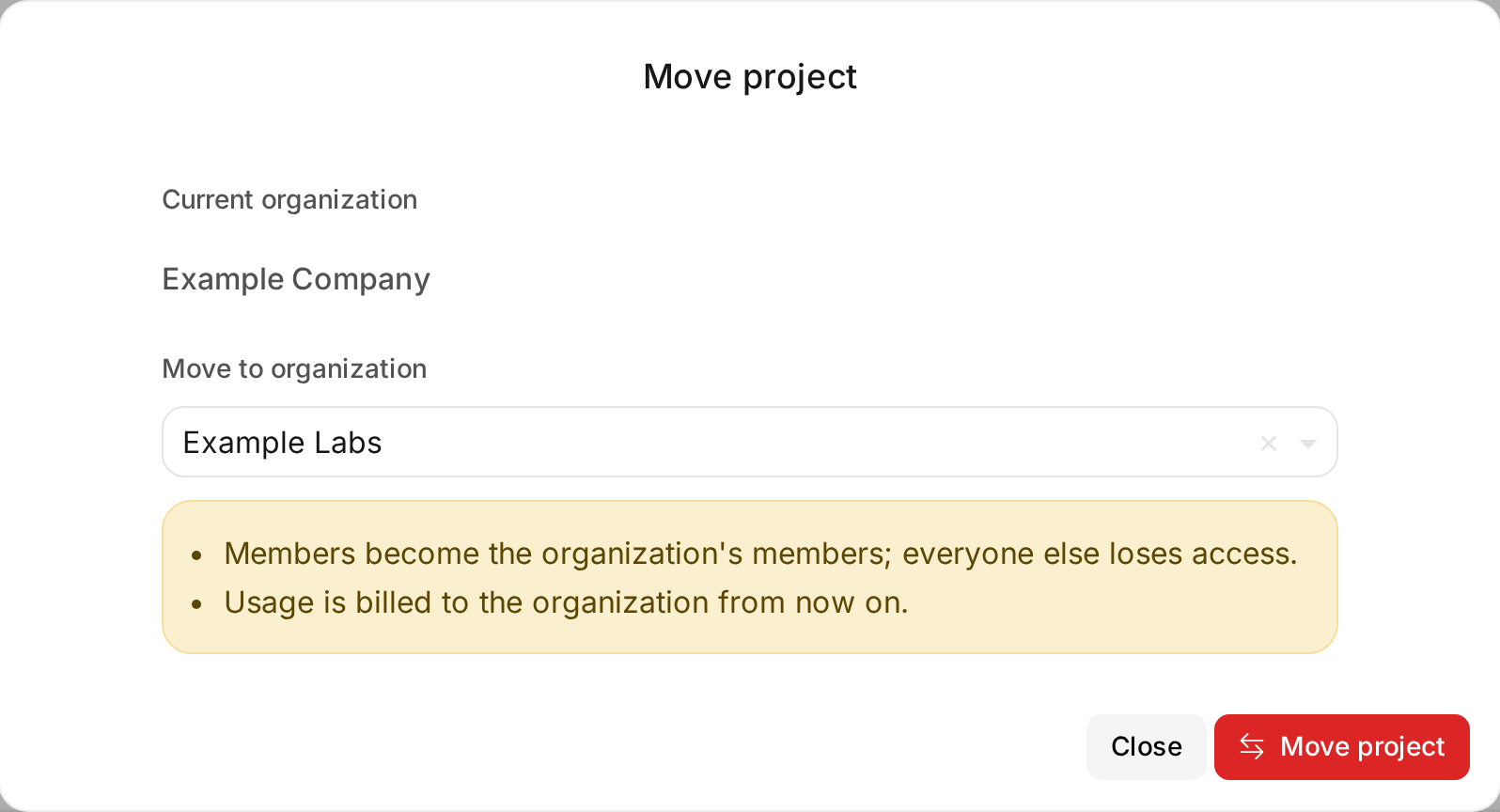
Open the project under Client Area > Projects and choose Move. Choose the organization under Move to organization, then Move project. The list offers the organizations of the project's realm. Moving needs permission to both update and manage projects.
Review access after the move
The project takes the members of its new organization. Each member of the organization becomes a member of the project: the organization's owners and admins as project owners, everyone else as project members. The organization's owner becomes the project's owner. The organization's groups grant access through their policies, matched on the project's tags, as they do for its other projects.
Everyone else loses access to the project, including the members of the old organization, and OSIE removes their roles from the project on each cloud. Invitations to the project that are still pending are withdrawn.
A cloud can refuse part of this, for example when a user still holds a role through a group in the cloud's own identity service. The move then completes and shows Some cloud access did not follow the move, with the member and the cloud, so you can remove that access on the cloud.
Check billing after the move
The project's usage up to the move stays with the old organization's billing profile, and the new organization's profile bills it from the move on. A monthly charge the old profile has already billed is not charged again. See Billing profiles for how a project is billed through its organization.
The project's status follows the new organization's billing. Moving a running project into an organization whose billing profile is not active suspends it. A project that its old organization's billing kept suspended resumes when the new organization's billing is active. A project that an administrator suspended stays suspended.
Moves that OSIE refuses
| Move | Reason |
|---|---|
| To an organization of another realm | The project's cloud projects belong to its realm's OpenStack domain |
| Back to the organization it left, in the same billing month | The old profile's bill for the month would lose what it billed before the first move. Move it back from the 1st of the next month |
| A project that is being deleted | The deletion is already removing its resources |