Metadata on customer records
Metadata links OSIE's customer records to your own systems. You attach key and value pairs, such as the account ID from your CRM or an order reference, to an organization, a user or a billing profile. Your integrations then find the record by that value through the Admin API, and the invoices and statements of a billing profile can print it.
Only platform administrators and Admin API clients read and write metadata. The client portal and the client API never show it, and a customer who edits their own organization or billing profile leaves it unchanged.
| Limit | Value |
|---|---|
| Entries per record | Up to 20 |
| Key | 1 to 64 characters: letters, digits, _ and -, each key once per record |
| Value | Up to 256 characters, not blank |
OSIE refuses metadata that breaks a limit, with HTTP 400 from the Admin API, and saves nothing from that request.
Set metadata in the admin dashboard
Open the record under Client Area, then its Metadata card:
| Record | Where the card is |
|---|---|
| Organization | Organizations, on the Organization Details tab |
| User | Users, on the Details tab |
| Billing profile | Billing profiles, on the Address tab |
Choose Add Entry, enter the Key and the Value, and choose Save. The forms that create an organization, a user or a billing profile take metadata too, so a record can carry its reference from the start.
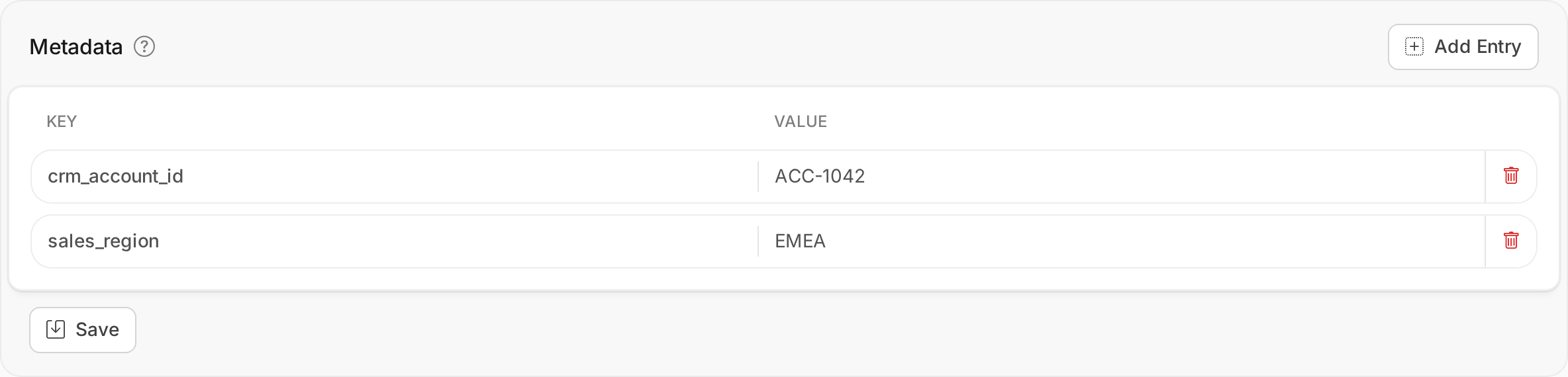
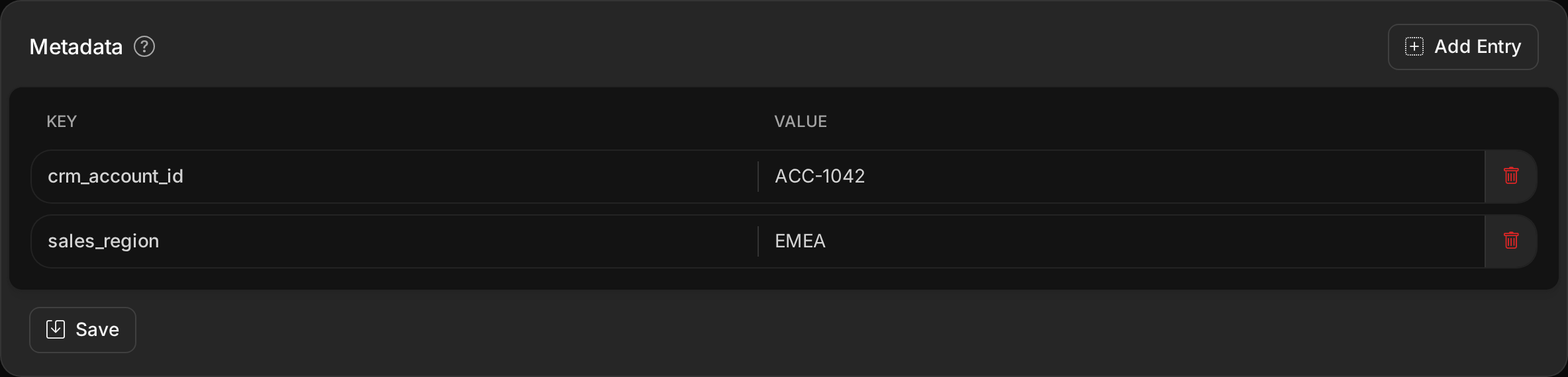
The card is read-only for an administrator without permission to update that kind of record, and on a deleted billing profile. The lists of organizations, users and billing profiles show a Metadata column, and their search finds a record by a metadata value.
Set metadata through the Admin API
Organizations, users and billing profiles carry metadata as a JSON object of string values, and return {}
when they have none. You set it when you create an organization,
a user or a
billing profile, so a customer you onboard through the
API is linked to your systems from the start. Customers who sign up in the client portal start without
metadata; add it once their records exist.
To change it, send metadata in an update of the
organization, the
user or the
billing profile. An update replaces all the entries
of the record. Leave metadata out to keep them, and send {} to remove them all.
curl -X PUT --aws-sigv4 "aws:amz:us-east-1:osie" \
  --user "<access-key-id>:<secret-key>" \
  -H "Content-Type: application/json" \
  -d '{"metadata":{"crm_account_id":"ACC-1042"}}' \
  "https://osie.mycompany.com/admin_api/v1/organizations/<organization-id>"
Find a record by its metadata
The lists of organizations,
users and
billing profiles filter on a metadata entry with a
metadata.<key>=<value> parameter. A request with several of them returns the records that match all of
them.
curl --aws-sigv4 "aws:amz:us-east-1:osie" \
  --user "<access-key-id>:<secret-key>" \
  "https://osie.mycompany.com/admin_api/v1/organizations?metadata.crm_account_id=ACC-1042"
Bills and webhooks do not copy a billing profile's metadata. A bill names its billing profile, so an integration that receives one reads the profile to match it with its own records.
Print a reference on invoices and statements
A billing profile's metadata can appear on the PDFs the customer receives, through a placeholder in the template:
- the built-in invoice template, from Customize Template on the built-in invoicing integration (see Configure Invoicing);
- the statement template, from Customize Template under Statement Template in the billing settings.
The editor's Available Placeholders list a Metadata section with the keys your billing profiles use.
{{metadata.<key>}} prints the value. Wrap the line in a section named after the key, so that the PDF of a
profile without the key leaves the line out:
{{#metadata.order_reference}}<p>Order reference: {{metadata.order_reference}}</p>{{/metadata.order_reference}}
The default templates print no metadata. An invoice prints the values the profile had when the invoice was issued, so later changes leave issued invoices as they are. A statement prints the profile's current values. Invoices issued through Stripe, SmartBill or WHMCS do not include metadata.
Audit and removal
The audit log records every metadata change entry by entry, and a save that changes nothing records nothing. The audit log customers see in the client portal leaves metadata out.
Deleting a billing profile clears its metadata, and an invoice already issued keeps the values it printed. Deleting a user or an organization removes its metadata with it.