Create a custom menu item
Introduction
It's common to have external tools for your bussiness operations such as support, ticketing, status monitoring, etc.
You can display these tools in the OSIE dashboard by creating a custom menu item for each tool.
Add a menu item
You can create a custom menu item by following these steps:
- Go to the Settings at the Custom Menu section.
- Click on the Add menu item button to create a new menu item.
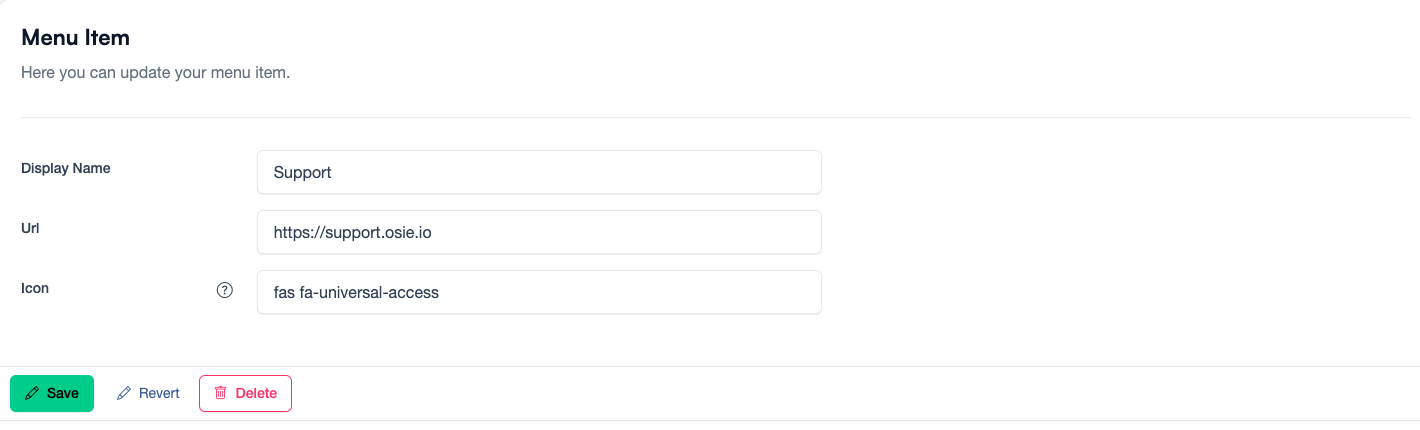
- Fill in the required information:
- Display Name: The name of the menu item. E.g. Support
- URL: The URL of the external tool. E.g. https://support.osie.io
- Icon: The icon for the menu item. E.g.
fas fa-universal-access
Now, click on the Save button, and the new menu item will be available in the OSIE dashboard.
Here you can see all the icons supported by OSIE: Font Awesome Icons 5